
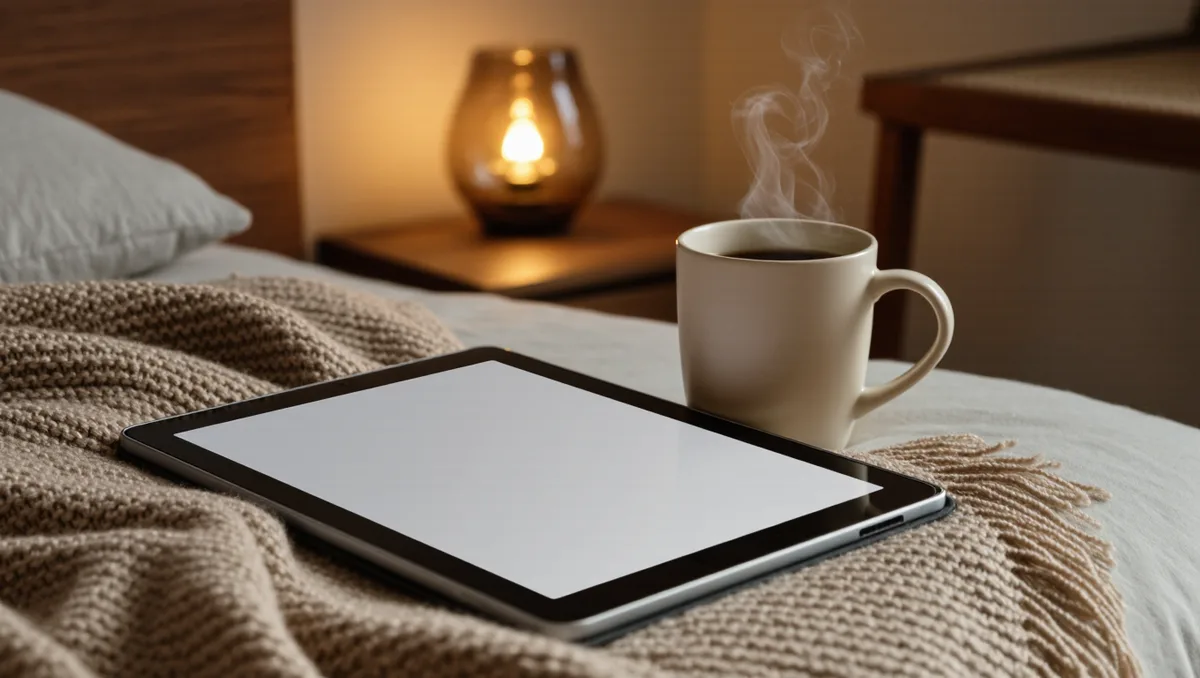
An e-reader can hold a charge for weeks of reading, and the reason is not a big battery. It is the screen. E Ink, the paper-like display technology in these devices, only draws meaningful power while it is changing what is on the page. A printed page and a page of E Ink look alike in one important way: neither needs electricity to stay visible.
So the honest answer to "how does e-reader battery life work" is this: reading drains almost nothing, and everything else drains plenty. The front light, the Wi-Fi radio, the processor waking up to sync your library, the store app checking for updates — those are the real consumers. Once you see the split, the habits that stretch a charge follow naturally, and none of them require giving up anything you actually enjoy about the device.
What Actually Drains the Battery?
Three things do most of the work, in roughly this order of consequence.
The front light. E Ink reflects ambient light rather than emitting it, which is why the screen is so easy on the eyes. The front light reverses that a little: an array of LEDs along the screen's edge shines onto the display so you can read in the dark. The brighter the setting, the more LEDs are driven, and the more power they draw. Warm-light modes, which add amber LEDs to shift the tone at night, add their own small draw. The light at a modest indoor setting is a trickle; at full brightness in the dark, it becomes the single largest drain on the device.
If you want the full picture of how those light arrays are built and why warm light costs a little extra, we have a separate piece on how front lights and warm light actually work.
Wireless connections. Wi-Fi is the quiet drain. Even when you are not buying books or syncing highlights, a reader left with wireless on will periodically wake, check for updates, refresh covers and metadata, and go back to sleep. Each wake is small. Over days, they add up. Bluetooth for audiobooks or page-turn buttons draws similarly whenever it is active. Airplane mode is the single most effective battery habit on any E Ink device, because it stops all of this background chatter at once.
Page turns and interface use. Every page turn rewrites the screen, which costs a small pulse of power. Reading a novel at a relaxed pace, that pulse is trivial — this is why weeks of reading are possible at all. What costs more is the stuff around reading: scrolling through a long library list, flipping through a PDF a few paragraphs at a time, browsing the store, or navigating menus. Each interaction is a screen update plus processor work. A reader who spends an evening browsing collects far more screen rewrites than one who spends it inside a single novel.
Why Sleep Mode Matters More Than You Think
Here is the detail most people miss: an e-reader's battery life is measured in page turns and standby hours, and standby is where the weeks come from. When the device sleeps, the screen holds its image with no power at all, and the processor drops to a near-idle state. A reader that sleeps properly between sessions loses only a sliver of charge overnight. A reader that never quite sleeps — because wireless is on, or an app is stuck in the foreground, or a case magnet is holding the screen half-awake — loses it steadily.
The practical habit is simple. When you finish a session, press the power button rather than letting the device time out on its own, and keep wireless off between sessions. If your reader has a sleep cover, use it; the magnetic wake-and-sleep pairing is designed to put the display to sleep the moment the cover closes. None of this is a manufacturer secret — it is just the difference between the device doing what it was designed to do and drifting.
What About Charging Habits and Battery Health?
There are two separate questions here, and they get confused constantly. One is how long a charge lasts. The other is how many years the battery itself survives. They have different answers.
For day-to-day endurance, the habits above — light discipline, airplane mode, deliberate sleep — do nearly all the work. For long-term health, the general principles that apply to lithium batteries in phones and laptops apply here too: batteries age fastest when held at extremes. Letting a reader sit fully depleted for months in a drawer, or leaving it plugged in at full charge in a hot car, stresses the cells more than ordinary top-ups do. If you shelve a device for a season, charge it to around the middle of the range first and check on it occasionally. And cold matters: lithium cells dislike freezing temperatures, so a reader left overnight in a cold car may show a sudden drop until it warms up.
None of this requires ritual. An e-reader is a low-stakes device for battery care. It charges slowly and discharges slowly, which gives you room to be casual and still get years of service. If you are evaluating a secondhand device, our used e-reader buying checklist covers what to look for in an aging battery, since a worn cell shows up as shrinking weeks between charges long before it fails outright. Readers following this should also see The Used E-Reader Buying Checklist: Battery, Screen, Account.
Practical Habits That Actually Move the Needle
Our analysis of where the charge goes points to a short list of habits, ordered by how much difference they make:
- Use airplane mode by default. Turn wireless on when you want to buy or sync a book, then switch it off. This alone can transform the interval between charges, because it eliminates all background wakes.
- Keep the front light as low as the room allows. In daylight, turn it off entirely — E Ink needs no help from the sun. Indoors, the lowest comfortable setting costs a fraction of a bright one. The mechanics behind this are in our front light guide.
- Sleep deliberately. Power down at the end of a session instead of waiting for the timeout, and let a sleep cover do the work if you have one.
- Batch your syncs. Sideloading a stack of EPUBs in one sitting, rather than drip-feeding over wireless, keeps the radio work short. Our guide on how to sideload EPUBs safely walks through the process.
- Trim the background features you don't use. Translation, web browsing, store pre-fetching, article downloads — every always-on extra is a small standing cost. Turning off the ones you never touch is free battery life.
One honest caveat: the payoff from each habit varies by device. A feature-rich reader with apps and a color screen has more background machinery than a minimalist one, so it has more to switch off — and more to gain. A bare-bones reader may already be close to its floor.
What This Means for Different Kinds of Readers
If you read mostly in daylight, your battery life is governed almost entirely by wireless behavior. Airplane mode is your whole strategy, and it will feel almost unfair how well it works.
If you read in bed with the light on, brightness discipline is your lever. Drop the setting a few notches and use a warm tone in the last hour; your eyes adjust faster than you expect, and the draw falls accordingly.
If you mostly borrow library books, note that borrowing itself is a wireless activity — the download, the DRM license check, the return. Batch it. Browse, borrow, and sync in one connected session, then read offline for the rest of the loan. Our comparison of which e-reader handles library books best looks at how different devices handle that workflow. This connects to our earlier piece, Which E-Reader Handles Library Books Best?.
And if you are choosing between ecosystems in the first place, battery behavior is worth weighing alongside store and format questions — it is one of the few spec-sheet lines that reflects how you will actually live with the device. Our PocketBook vs Kobo comparison is a good starting point for that side of the decision.
The Takeaway
E-reader battery life is not a mystery once you know the split: the screen is nearly free, and the light, the radio, and the interface are where the charge goes. Treat wireless as something you switch on purposefully, keep the light at the lowest comfortable level, and put the device to sleep properly between sessions. Do those three things and the weeks-between-charges promise on the box stops being a spec-sheet number and becomes your ordinary experience. What the general principles cannot tell you is the exact figure for your particular device and habits — that depends on your model, your firmware, and your reading light, and it is worth measuring once against your own routine rather than trusting anyone's claim, including ours.
Sources: youtube.com · en.wikipedia.org · eonline.com