
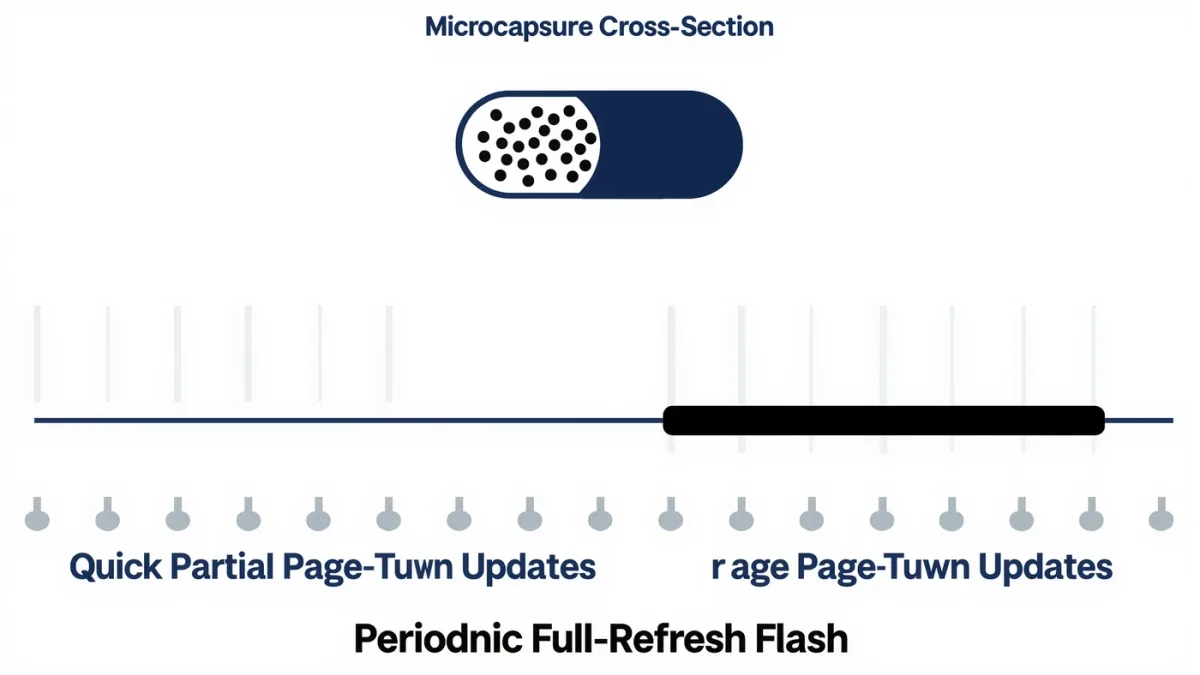
E-ink is slow because it is mechanical: each update physically moves charged pigment particles through microcapsules to redraw the page, a process that takes far longer than an LCD pixel's state change — full refreshes on consumer panels run on the order of hundreds of milliseconds, and page turns typically land in a comfortable fraction of a second, per E Ink's own technical documentation. For reading, that speed is plenty: a page turn is one update, then the screen holds its image with zero power. The slowness only becomes a limitation the moment you try to scroll, watch, or write quickly — which is exactly the boundary between readers and tablets.
MonBook Pro publishes information, not purchasing advice — and no device below has passed through our hands.
What actually happens during an e-ink refresh?
The screen is a sheet of microcapsules, each containing charged white and black particles suspended in fluid. Voltage patterns — E Ink calls the sequences waveforms — move particles toward or away from the viewing surface, capsule by capsule, until the new page's image is set. Then the particles stay put: the image persists with no power at all, which is bistability, the property behind e-readers' weeks-long battery figures on makers' spec sheets. The cost of that persistence is time. A partial refresh, used for ordinary page turns, swaps the text quickly and may leave faint ghosting; a full refresh flashes the entire screen black-and-white to reset every capsule cleanly, which is why your reader periodically blinks at you — and why most readers let you change how often that happens.
Why doesn't a page turn feel slow then?
Because it is one discrete event, not a stream. Tablet scrolling redraws the screen sixty or more times per second; an e-reader turning a page performs a single update and then rests. The perceptual result is not lag but rhythm — closer to flipping paper than to swiping glass. Makers have also tuned this rhythm hard: E Ink's later panel generations and the waveform refinements documented for Carta-class films improved partial-refresh speed and ghost-clearing behavior, and note-taking devices like Boox and reMarkable document specialized fast-refresh modes for pen strokes, trading a little contrast for responsiveness. The short version: for the job e-readers were built for, the physics stopped mattering years ago.
When does the slow refresh actually hurt?
- Scrolling: continuous drag-scrolling forces constant partial refreshes that smear and ghost — pagination exists in e-readers partly for this reason.
- Typing and note-taking: input lag on basic readers makes typing clumsy; stylus devices counter with fast pen modes, per Boox and reMarkable's documentation.
- Video and animation: effectively out of scope; E Ink's own marketing for video-capable modes shows the trade-offs plainly.
- Menus and web browsing: usable on Android-based readers like Boox, with patience and the right refresh settings.
What are refresh modes, and which should you use?
Mostly an Onyx Boox concept, and one of that platform's genuine strengths: Boox devices expose per-app refresh settings — a fast mode with more ghosting for scrolling apps, a high-quality mode with full refreshes for reading — documented in Onyx's support materials. Kindle and Kobo keep this simpler, offering the occasional-refresh-frequency setting and otherwise deciding for you. If you live in a Boox's Android world, learning the refresh panel is the difference between loving and resenting the device: fast mode for anything that moves, clean mode for anything you read. On Kindle and Kobo, if the periodic black flash bothers you, the settings let you space the full refreshes further apart at the cost of accumulating faint ghosts — a genuinely personal dial with no wrong answer.
Is e-ink getting faster?
Yes, at the edges. E Ink has documented successive waveform and panel improvements across Carta generations and its color Kaleido line, and the company's trade-show demonstrations through the mid-2020s have shown faster, smoother modes aimed at note-taking and signage. In shipping readers, the practical gains have gone to pen latency and cleaner partial refreshes rather than to scrolling or video — the bistable physics sets a floor that incremental engineering raises slowly. As of July 2026, no mainstream e-reader refreshes like a tablet, and the ones that come closest do it by accepting ghosting you can see.
Does refresh behavior differ between black-and-white and color panels?
Yes, and color is the slower sibling. A Kaleido 3 color panel must drive its monochrome layer and settle the color filter's rendered image, and makers' firmware notes describe additional refresh handling for color content — including more frequent full refreshes to clear ghosting from the color layer. In practice, per the documentation rather than our testing, color readers page-turn novels just as briskly in monochrome mode, but colored content — comic pages, highlighted documents — updates more deliberately. Monochrome Carta-class panels are the quickest and cleanest of the family, which is one quiet reason novel-first readers rarely regret choosing them over color models. The rule of thumb that survives every generation of this technology: the more colors on the page, the more patient the page.
What did the sources not establish?
No maker publishes comparable, standardized refresh-latency figures across its lineup, and no named independent measurement of page-turn latency across brands was verifiable as of July 2026 — the timing characterizations above follow from E Ink's technical descriptions rather than a benchmark. Perceived smoothness varies by person and content; a page-turn rate you find pleasant may strike a faster reader as sluggish. The honest framing: slow is a physics fact, how slow it feels is a you fact.
For more context, read E Ink Carta 1300 vs Kaleido 3: Which E-Reader Screen Should You Choose?.
For more context, read best e-reader for manga.
For more context, read Stylus E-Readers for Notes: Boox vs reMarkable vs PocketBook.