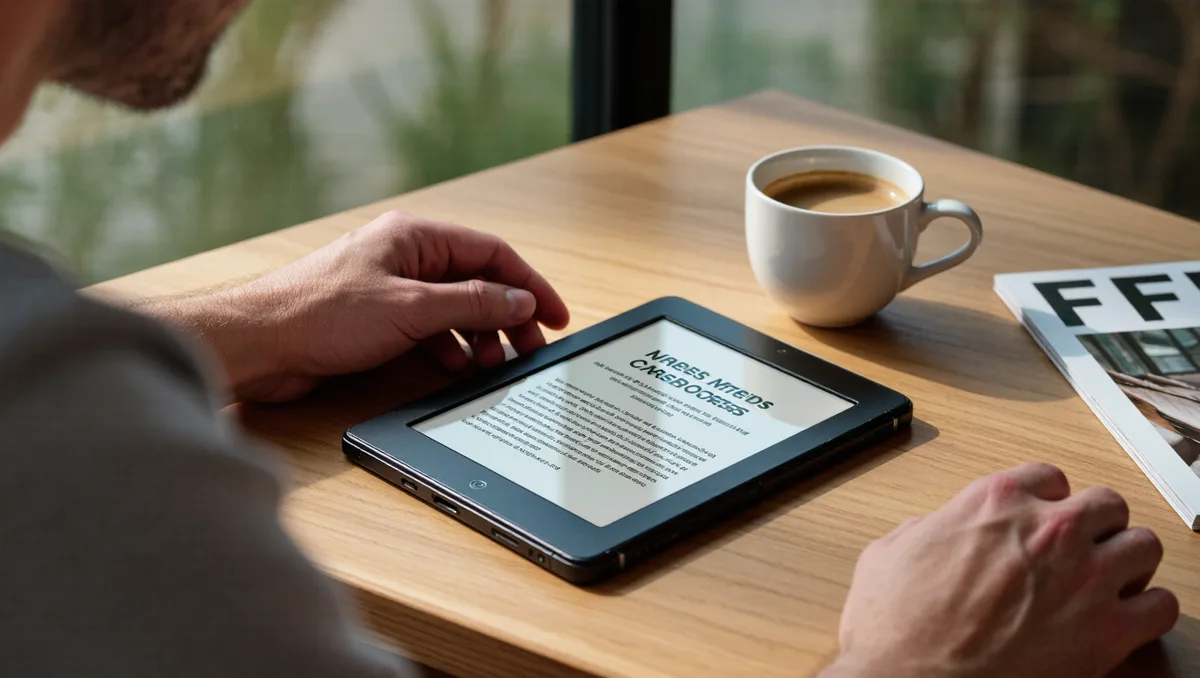
Yes — there are genuinely good e-readers that aren't made by Amazon, and for some readers they are the better choice. Kobo is the strongest all-round alternative, PocketBook rewards people who sideload and travel, and Boox serves readers who want Android flexibility on E Ink. The right pick depends less on hardware rankings and more on where your books come from.
That last point is the whole game. An e-reader is a ten-year purchase wrapped around a store, a file-format policy, and a library-borrowing path. Buy the device and you inherit the ecosystem. This guide sorts the non-Amazon field by reader type, not by a spec-sheet arms race, and it leans on our broader coverage of e-readers where the details run deep.
What does "best" even mean for a device you'll keep for years?
It's worth pausing on the word itself. Merriam-Webster defines "best" as "most productive of good: offering or producing the greatest advantage, utility, or satisfaction" — which is a useful lens for e-readers, because the device that excels all others on paper often isn't the one that produces the most satisfaction in your hands (Merriam-Webster). A reader who borrows every book from the library has a different "greatest advantage" than one who buys DRM-free EPUBs from independent stores.
So treat every "best e-reader" list, including this one, as a set of conditional recommendations. The honest question isn't "which device wins?" but "which ecosystem fits where my books live?" Our head-to-head on PocketBook versus Kobo covers that comparison in detail.
Why does the Kindle lock-in question matter?
Amazon's store sells books wrapped in DRM — digital rights management, the software wrapper that ties a purchase to a specific ecosystem. If you build a library inside one walled garden, moving later means either leaving the books behind or jumping through conversion steps that may not be permitted. That's the frustration driving searches for "e-readers not Kindle" in the first place.
The alternatives differ in degree, not in kind. Kobo's store also uses DRM on commercial titles. PocketBook and Boox lean more open on the file side, which matters most for readers who buy DRM-free books or borrow from libraries. If you want the full mechanics, our explainer on whether you can read library and purchased books on any e-reader walks through it ecosystem by ecosystem. This connects to our earlier piece, Can You Read Library and Purchased Books on Any E-Reader?.
One practical note: sideloading — moving your own files onto the device by cable or cloud — is where the non-Amazon players tend to be friendliest. Our guide on how to sideload EPUBs safely applies across most of them.
Kobo: the default answer for most defectors
If you mostly read library books, this changes your math. Kobo is the mainstream alternative with the deepest built-in library integration, because its devices connect to the same OverDrive borrowing system many public libraries use — no computer, no extra app. That makes it the natural pick for the reader whose library card does more work than their credit card.
Kobo also reads EPUB natively, which is the format most independent bookstores and indie authors sell. The trade-offs are real, though: the store is still a closed commercial ecosystem, and the hardware lineup changes often enough that you should check current models and prices at purchase time rather than trusting any article's snapshot. For the library-borrowing decision specifically, see our dedicated piece on which e-reader handles library books best.
PocketBook, Boox, and the rest of the field
PocketBook is the tinkerer's option. The devices support an unusually wide range of file formats out of the box, which makes them forgiving with sideloaded collections, comics, and odd PDFs. The company is European, the software is utilitarian rather than beautiful, and the audience is people who already know what files they own. If that's you, the format flexibility is the advantage; if you want a polished store experience, it isn't.
Boox sits further out on the spectrum: E Ink hardware running Android, so you can install reading apps and treat the device more like a slow, gentle tablet. That flexibility costs simplicity — updates, app behaviour, and battery life all depend more on how you configure it. Boox also anchors our comparison of stylus e-readers for note-taking, alongside reMarkable, which pursues a deliberately distraction-free paper niche instead of a general reading device.
Screen technology is the other axis. Most of these brands now ship E Ink Carta panels in black-and-white, while colour models use Kaleido-style screens that trade some sharpness for colour. Our breakdown of E Ink Carta 1300 versus Kaleido 3 explains which suits novels versus comics. Readers following this should also see E Ink Carta 1300 vs Kaleido 3: Which E-Reader Screen Should You Choose?.
Practical steps: choosing without the spec-sheet noise
Here is our analysis of how to decide, in order of importance:
- Inventory your books first. Count how many come from a store, a library, and your own files. The biggest source should pick the ecosystem.
- Test the library path. If you borrow, confirm the device's borrowing workflow before buying — the difference between one step and a computer-mediated chore is the difference you'll feel daily.
- Check the file-format policy. If you buy from independent stores or authors, native EPUB support and easy sideloading beat store polish.
- Match screen size to reading habits. Pocket novels want compact devices; academic PDFs and comics want larger panels. Our guide to which screen size fits you covers the trade-offs.
- Consider used. E Ink hardware ages slowly, and a careful secondhand purchase can sidestep the newest model's premium. Our used e-reader buying checklist lists what to inspect.
What this means in one sentence: the "best" non-Amazon e-reader is the one whose book-acquisition path matches yours, and every other specification is downstream of that.
What the alternatives establish — and what they don't
The evidence for leaving Kindle is strongest for three reader types: library borrowers, who gain the most from Kobo's borrowing integration; sideloaders and independent-store shoppers, who gain from open format support on PocketBook and Boox; and note-takers, for whom the stylus-focused non-Amazon devices have no Amazon equivalent at all. For a store loyalist with years of purchases inside one ecosystem, switching costs remain the honest counterweight, and no alternative removes them.
What no general guide can establish for you is current model quality: lineups refresh, firmware changes, and prices move. Verify the specific model, its current price, and its firmware state at the moment you buy — and treat any ranking, ours included, as a starting map rather than a verdict.