
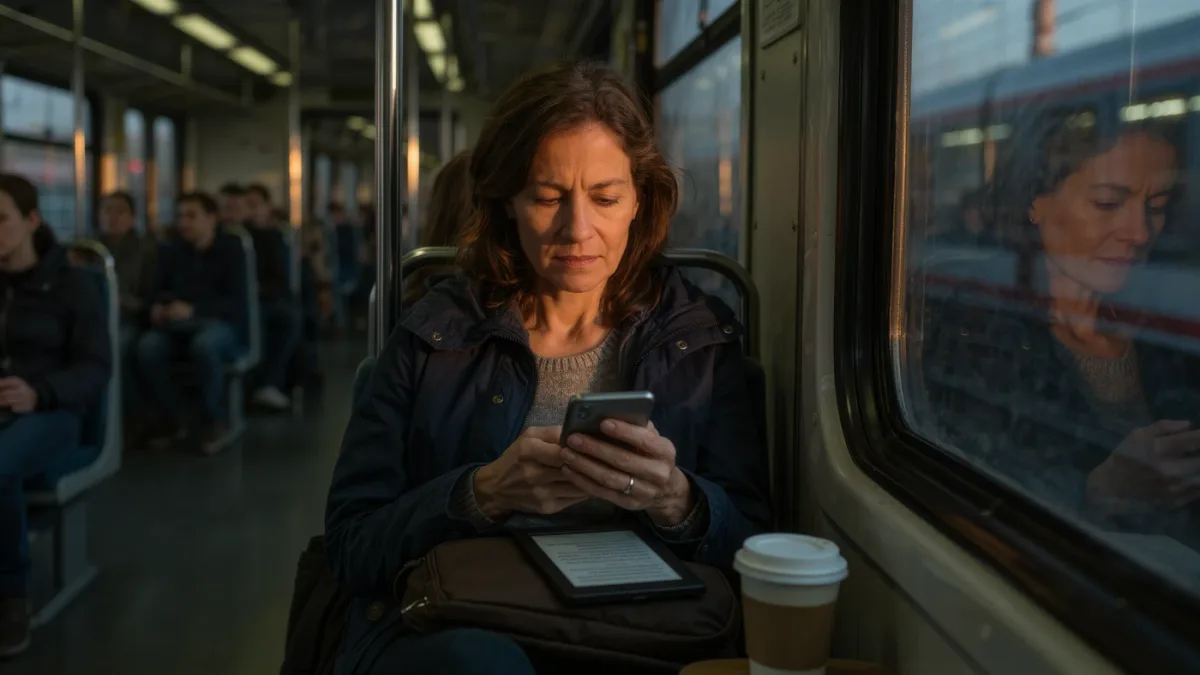
Yes — the Kindle app can open every book in your Kindle library, sync your progress, and cost you nothing extra, so for casual reading it genuinely works. What you lose is the dedicated part: the glare-free E Ink screen, the battery measured in weeks, and the quiet of a device that cannot ring you. Here is the honest breakdown.
MonBook Pro publishes information, not buying advice — every behavior below is based on what Amazon documents on its own device and app support pages, not on hands-on testing.
What does the Kindle app actually give you?
Quite a lot, and it is worth saying so first. The app, available on iOS, Android, Mac, and Windows per Amazon's app pages, mirrors your purchased library through Whispersync, so the page you stopped on at night is the page you open at lunch. It supports highlights, notes, bookmarks, the built-in dictionary, and adjustable text size. If you read twenty minutes a day on the commute, the app removes every excuse not to.
It also gets features early or exclusively in some regions, because software updates ship faster than firmware. That is the app's real strength: it is a moving target, refreshed on the store's schedule rather than a device update cycle.
What do you lose without E Ink?
The screen is the big one. A Kindle e-reader's E Ink display is reflective, not emissive — it is lit from the front, and Amazon's device pages list battery life in weeks, not hours, precisely because the display barely draws power. A phone display is a light source you stare into, and it washes out in direct sun.
There is a sleep angle too. Research on light-emitting e-readers before bed — covered by the BBC in December 2014, drawing on a Harvard-affiliated study — found participants took longer to fall asleep and produced less melatonin than people reading paper. A front-lit E Ink screen is a gentler nighttime surface than a phone's backlit panel, even if no screen at all is the gold standard.
Does distraction matter more than hardware?
For a lot of readers, yes. A phone running the Kindle app is also running everything else — messages, news, the whole attention economy. An e-reader does one thing. That is not a spec-sheet line; it is the entire product philosophy. If your reading time keeps getting eaten by notifications, the problem is not the app's rendering of the book, it is the device it lives on.
Airplane mode or Focus modes can blunt this on a phone. But you are fighting the platform's design rather than benefiting from a device that never had a notification center to begin with, per Amazon's own device documentation.
Which reading features exist only on the device?
Hardware-linked features stay with hardware. Page-turn buttons live on the models that have them, and the reading experience of a physical key is simply absent in the app, where turning means swiping or tapping glass. Adjustable warm light — the amber shift for evening reading — is a front-light feature of current Kindle devices per Amazon's spec pages; a phone approximates it with system-level night modes that also change the whole display.
Storage is the quiet trade-off in the other direction: e-readers keep books off your phone's limited storage, which matters if your library runs to hundreds of titles.
Where does the app beat the device?
Color, for one — illustrated books, comics, and PDFs read better on a color tablet or phone screen than on a grayscale E Ink panel. Convenience for another: the app is already on the device in your pocket. Cost is the third: the app is free with your Amazon account, while a Kindle is a purchase whose current price you should check on Amazon's store page, since it changes with promotions.
And accessibility cuts both ways — a phone brings system fonts, screen readers, and display settings an e-reader may not match.
Kindle app vs. Kindle device: quick comparison
| Aspect | Kindle app | Kindle e-reader |
|---|---|---|
| Screen | Phone/tablet display, backlit, color | E Ink, front-lit, grayscale |
| Battery | Tied to phone's daily charge | Weeks per charge, per Amazon spec pages |
| Distractions | Full phone environment | Reading only |
| Extra cost | Free | Device purchase, price varies |
| Best for | Casual, on-the-go, color content | Long sessions, sunlight, bedtime |
Which one should you use?
Most people land on both, and that is the sane answer. Keep the app for stolen minutes — waiting rooms, trains, the queue at the bakery — and let Whispersync keep your place. If you read more than half an hour a day, or mostly read in bed or outdoors, an E Ink device earns its shelf space: the screen, the battery, and the silence are the three things the app cannot fake.
If you already own a Kindle and a phone, you are not choosing at all. Amazon's Whispersync architecture, per its support documentation, is designed exactly for hopping between the two.
For more context, read What Privacy Settings Matter in Reading Apps?.
For more context, read calibre companion apps.
For more context, read opendyslexic font.